A self-serve, browser-based asset creation tool that eliminated design bottlenecks for Amazon's Events team — from idea to shipped product in weeks.
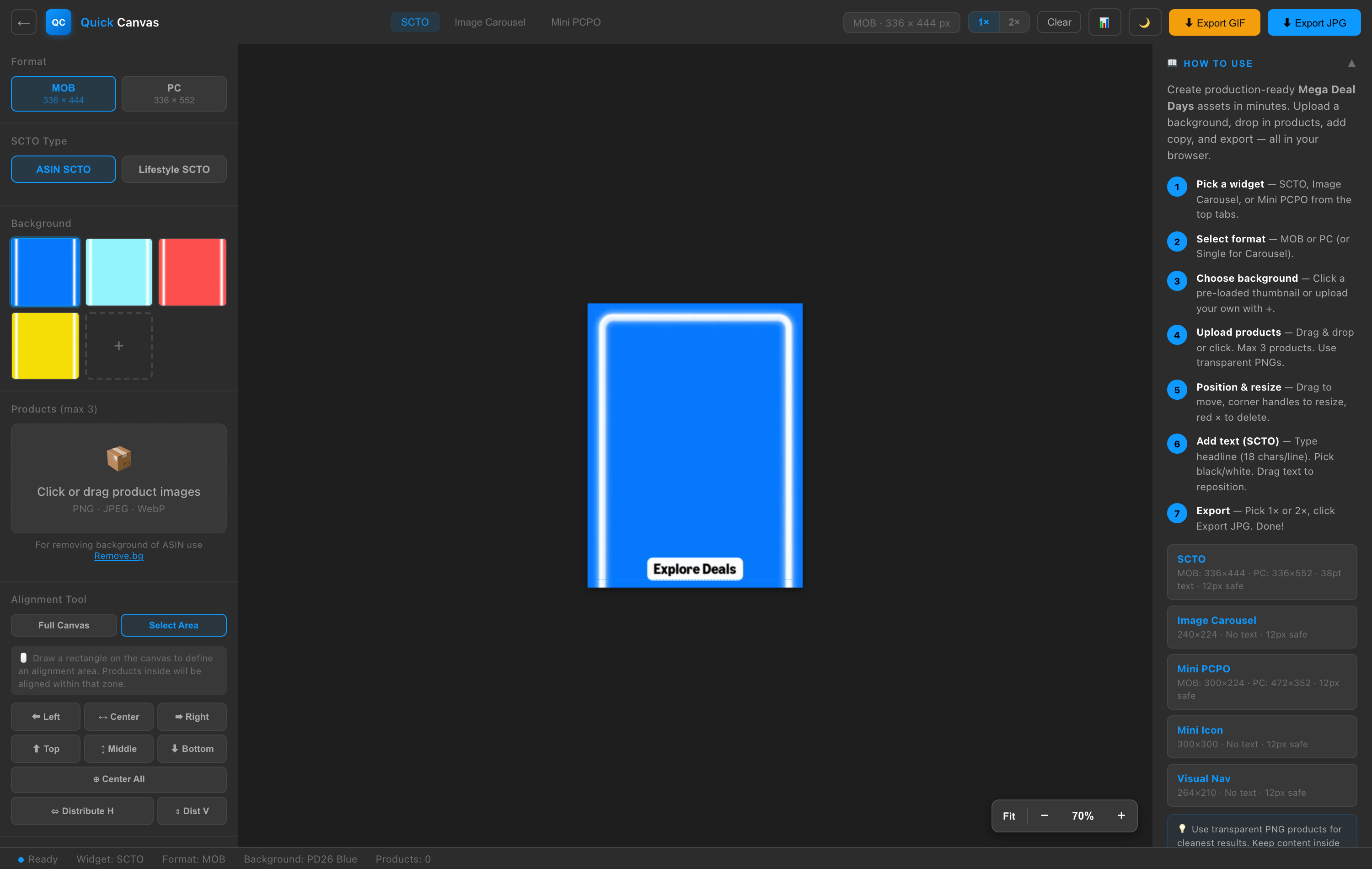
No mockups, no smoke and mirrors. Here's a full screen recording of Quick Canvas in action — building a production-ready creative end to end.
Merchandisers needed 50+ promotional widgets per event. Each required a designer to open Photoshop, build from scratch, and hand off — creating a 2-3 day bottleneck per batch.
Request → Wait → Review → Revisions → Wait again. A single widget took 4+ touchpoints before going live. Multiply by 50 widgets per event = chaos.
What if merchandisers could create pixel-perfect, on-brand widgets themselves — in minutes, not days? No Photoshop. No handoffs. No waiting.
A browser-based tool with pre-loaded templates, drag-and-drop, and smart defaults could eliminate 80% of design requests while maintaining brand quality.
Spoke with 8 merchandisers and 3 designers. Key insight: merchandisers knew exactly what they wanted but couldn't execute. Designers were drowning in repetitive tasks.
• 50+ widgets per event
• 4+ touchpoints per widget
• 2-3 day average turnaround
• 6 major events per year
• 3 designers supporting 15+ merchandisers
Biggest friction: The back-and-forth on product placement, text sizing, and background choice. These are purely visual decisions that don't need a designer.
"Give me the canvas and the constraints, and I'll do it myself." — Sr. Merchandiser, Prime Day team
Classic editor pattern — top nav, left sidebar, center canvas. Pick a part to explore it.
The command center — pick a widget, see live dimensions, choose export scale, and download from one persistent bar.
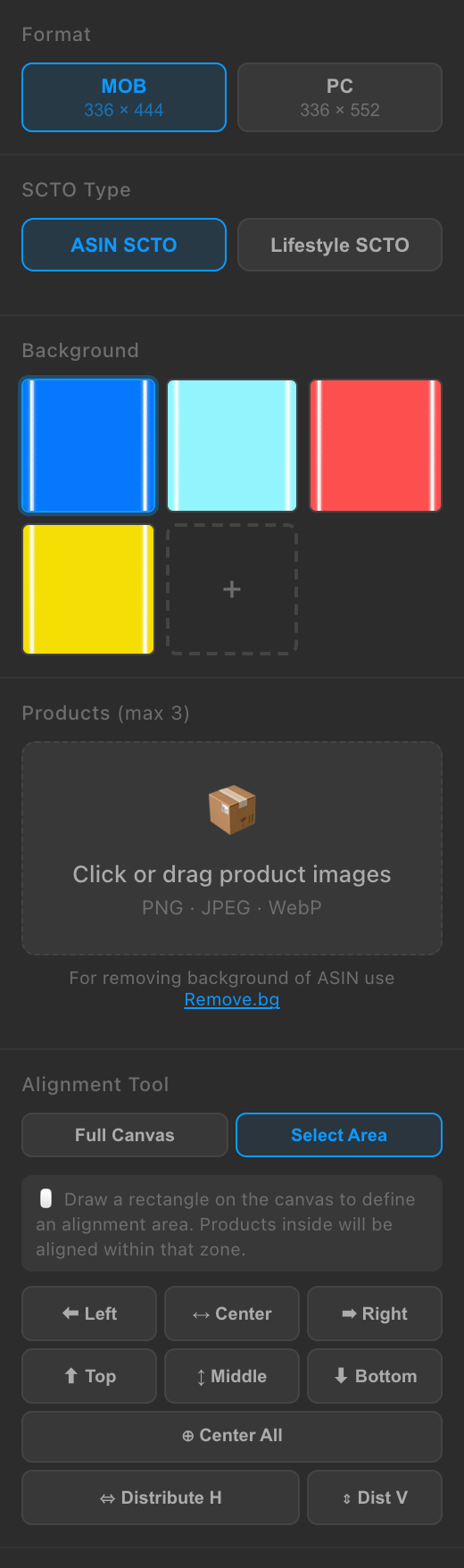
All properties in a single scrollable sidebar. Context-aware — controls appear only when they're relevant.
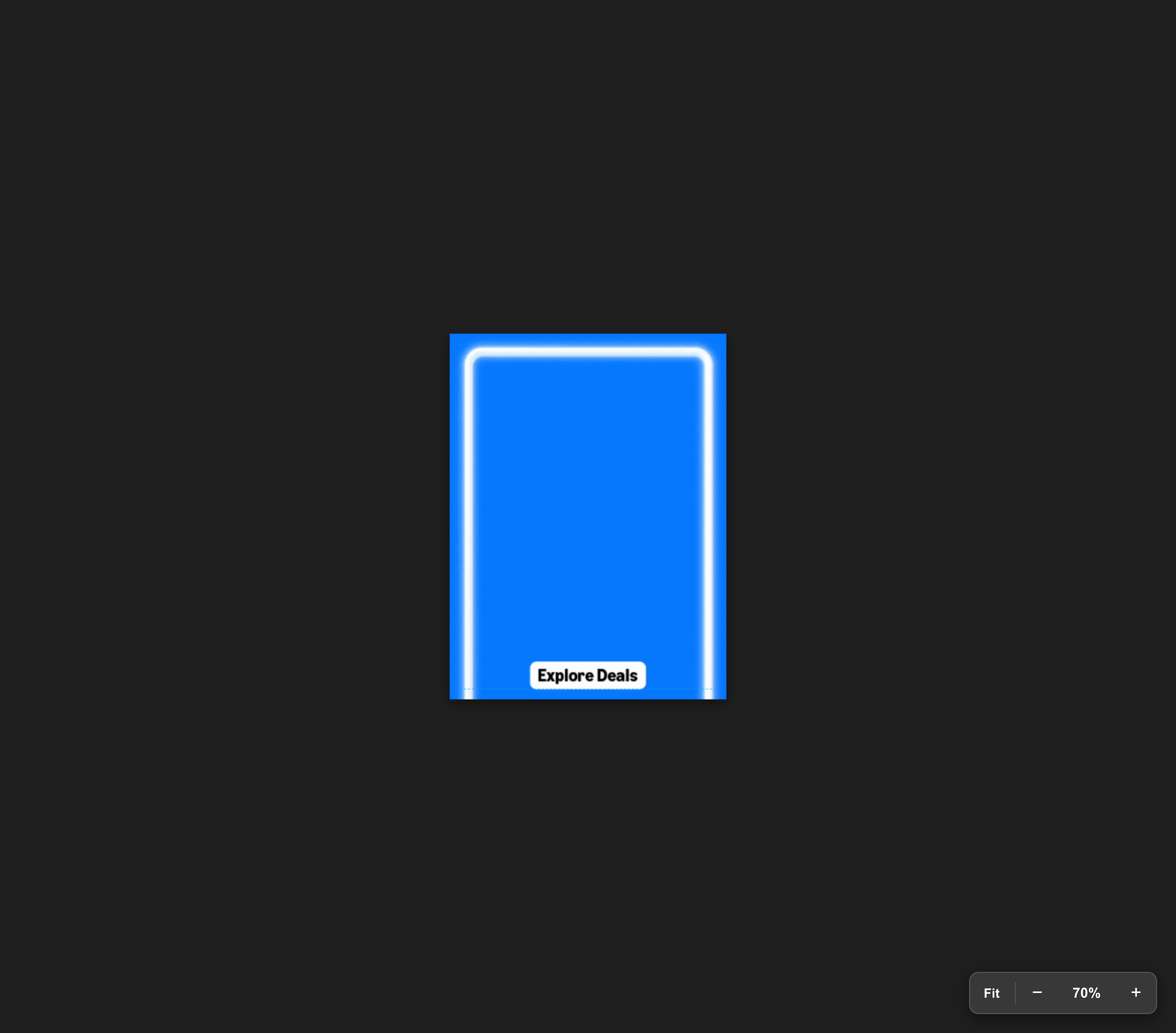
The heart of the tool. Drag, resize, and position everything live — what you see is exactly what exports.
Pre-loaded event-themed backgrounds keep assets on-brand. Text renders in embedded Amazon Ember fonts for pixel accuracy.
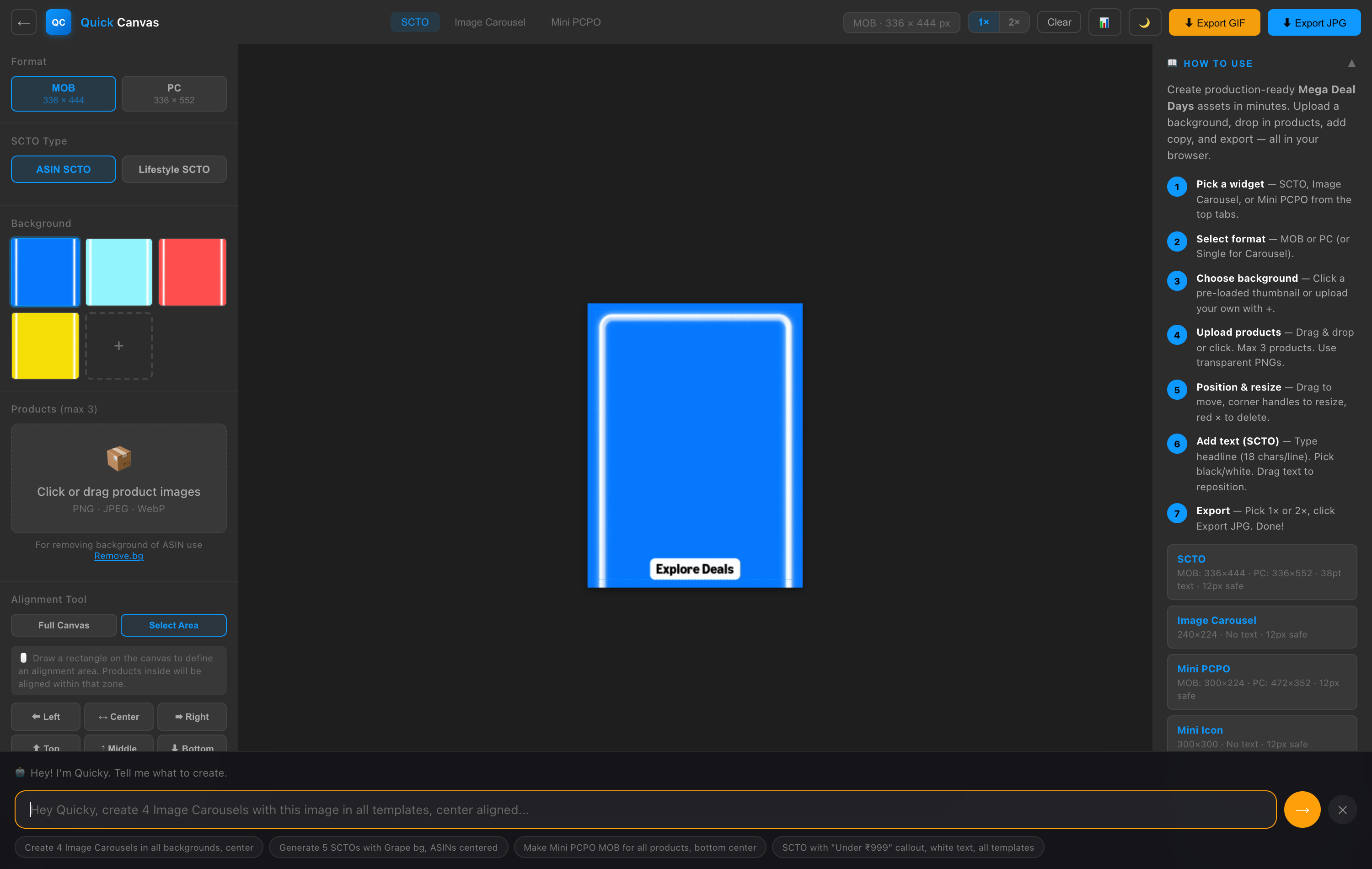
The Quicky AI agent turns a prompt into a batch of finished creatives, then exports them optimized to size limits.
Pick a capability to explore it. Nine features, one focused view at a time.
Pre-loaded, event-themed backgrounds keep every asset on-brand without effort — including animated GIFs for Prime Day — plus unlimited custom uploads.
Upload up to three product images and place them with direct manipulation — no menus, no coordinates, just drag, resize, and align.
Add a headline and sub-callout that render in embedded Amazon Ember fonts for pixel-perfect accuracy, draggable anywhere on the canvas.
Lifestyle slideshow mode stitches images into an animated GIF, while motion presets bring static ASIN creatives to life.
A natural-language command bar that turns a sentence into a batch of finished creatives — type it, and they download.
A full theme toggle for comfortable extended sessions, with the user's choice remembered across visits.
Drop numbered comment pins anywhere on the page for async design review — right on the live document.
A password-protected admin dashboard that surfaces how the tool is really being used across the team.
The entire tool is a single, self-contained HTML file — no server, no build step, no install. It just runs.
Tap through each phase to see what happened.
User interviews with merchandisers and designers. Mapped the existing workflow, identified pain points, and built a rapid prototype with basic canvas rendering and background selection.
Built the HTML5 Canvas rendering engine, drag-and-drop product system, text overlay engine, and multi-widget architecture (SCTO, Carousel, Mini PCPO). First internal demo to the team.
Added lifestyle slideshow GIF generation, motion presets, the Quicky AI batch engine, and the admin analytics dashboard. Iterated on feedback from power users.
Dark mode, pin comments, safe zone guides, export optimization (auto-compress to size limits), and PD26-themed backgrounds. Deployed to Harmony and onboarded first 50 users.
New widget types (Quad Card, TDR Calendar), workspace system (HVELP + Gateway), and documenting the success story for org-wide investment case.
• 2-3 days per batch of widgets
• 4+ touchpoints per asset
• Designers as bottleneck
• Brand inconsistencies
• Missed event deadlines
• Minutes per widget, not days
• Self-serve = 0 handoffs
• Designers free for strategy
• Template-enforced brand
• Always on time, every event
By limiting widget types and enforcing templates, users actually felt more empowered, not restricted. Constraints are a feature.
Using AI as a co-pilot (not replacement) let me ship a solo project that would normally take a team of 3-4 engineers weeks longer.
The beta was "good enough" in week 2. Shipping early got real feedback that shaped the final product far better than my assumptions would have.